
A lot of UK service businesses still get paid in a way that creates unnecessary friction. You send a quote from one tool, build the invoice in another, copy bank details into an email, then check your account manually to see whether the money has arrived. If the client forgets, you chase. If they pay without the invoice reference, you spend more time matching the payment than you should.
That routine feels normal when you're starting out. It also slows cash flow, creates avoidable admin, and makes the payment experience feel less polished than the work you deliver. A client can approve the job quickly and still leave you waiting days because paying you is awkward.
The good news is that learning how to accept online payments isn't mainly a technical job for developers or e-commerce teams. For trades, consultants, freelancers, and agencies, it's usually about choosing a setup that lets clients open an invoice, click once, and pay without extra steps.
Table of Contents
- Stop Chasing Invoices and Start Getting Paid
- Understanding UK Online Payment Methods
- Choosing Your Online Payment Provider
- How to Set Up Payments on Invoices and Links
- UK Security Rules and Best Practices
- The Simple Way to Manage Your Business Payments
Stop Chasing Invoices and Start Getting Paid
The familiar version goes like this. A plumber finishes the job, sends an invoice PDF by email, adds bank details underneath, and waits. A consultant issues a monthly invoice, then checks the bank feed every morning to see whether a client has paid. A small agency emails reminders that feel more awkward each time.
None of that work earns more revenue. It just patches over a weak payment process.
When clients have to leave the invoice, open their banking app, type in your details, enter the amount, and remember the reference, some will do it immediately. Others won't. Even good clients delay payment when the process asks them to do too much.
Pay faster usually starts with making payment easier, not with sending firmer reminders.
The stronger setup is simple. Send a professional invoice with a clear online payment option built in. The client opens it on their phone or laptop, pays there and then, and you can see the invoice status update without a separate admin loop. That changes the tone of the whole transaction. You look organised, clients get a smoother experience, and you spend less time chasing money you've already earned.
For service businesses, this matters even more because you often aren't running a shop or checkout page. You're quoting for work, booking appointments, delivering a service, then invoicing afterwards. That's why online payment collection tied directly to digital invoicing workflows is more useful than generic advice aimed at online retailers.
What delayed payment really costs
A slow payment process creates problems in three places:
- Cash flow pressure means you wait longer to cover wages, materials, software, travel, or tax.
- Admin creep builds up when someone has to reconcile bank transfers, resend invoices, and answer payment emails.
- Professionalism suffers because clients see a disjointed handoff between the work you deliver and the way you collect payment.
What better looks like
A practical payment setup for a UK service business should do three things well:
- Let clients pay directly from the invoice.
- Keep invoice status tied to payment status.
- Remove as much manual reconciliation as possible.
If your current method depends on separate PDFs, copied bank details, and a lot of checking your bank account, there is a better way to do it.
Understanding UK Online Payment Methods
Most guidance on how to accept online payments assumes you're selling products through a basket and checkout. Service businesses work differently. A decorator, therapist, designer, or accountant usually needs payment after a quote, appointment, milestone, or invoice. The payment methods that matter are the ones that fit that journey.
What most clients already expect
Card payments still matter because they match how many people already pay online. In the UK, debit cards account for 48% of online transactions, and 78% of adults aged 16 to 24 use mobile payments, which makes both card acceptance and wallet support highly relevant for service businesses targeting modern buyers, according to Airwallex's UK online payment statistics.
That tells you two useful things straight away. First, don't treat card payments as optional. Second, don't build a payment flow that feels clumsy on mobile if younger clients are part of your market.
A payment page connected to online payment collection for service businesses should work just as smoothly on a phone as on a desktop, especially when a customer opens the invoice from an email.
Which methods suit service businesses
The right mix depends on your average invoice size, your client base, and how quickly you need the money.
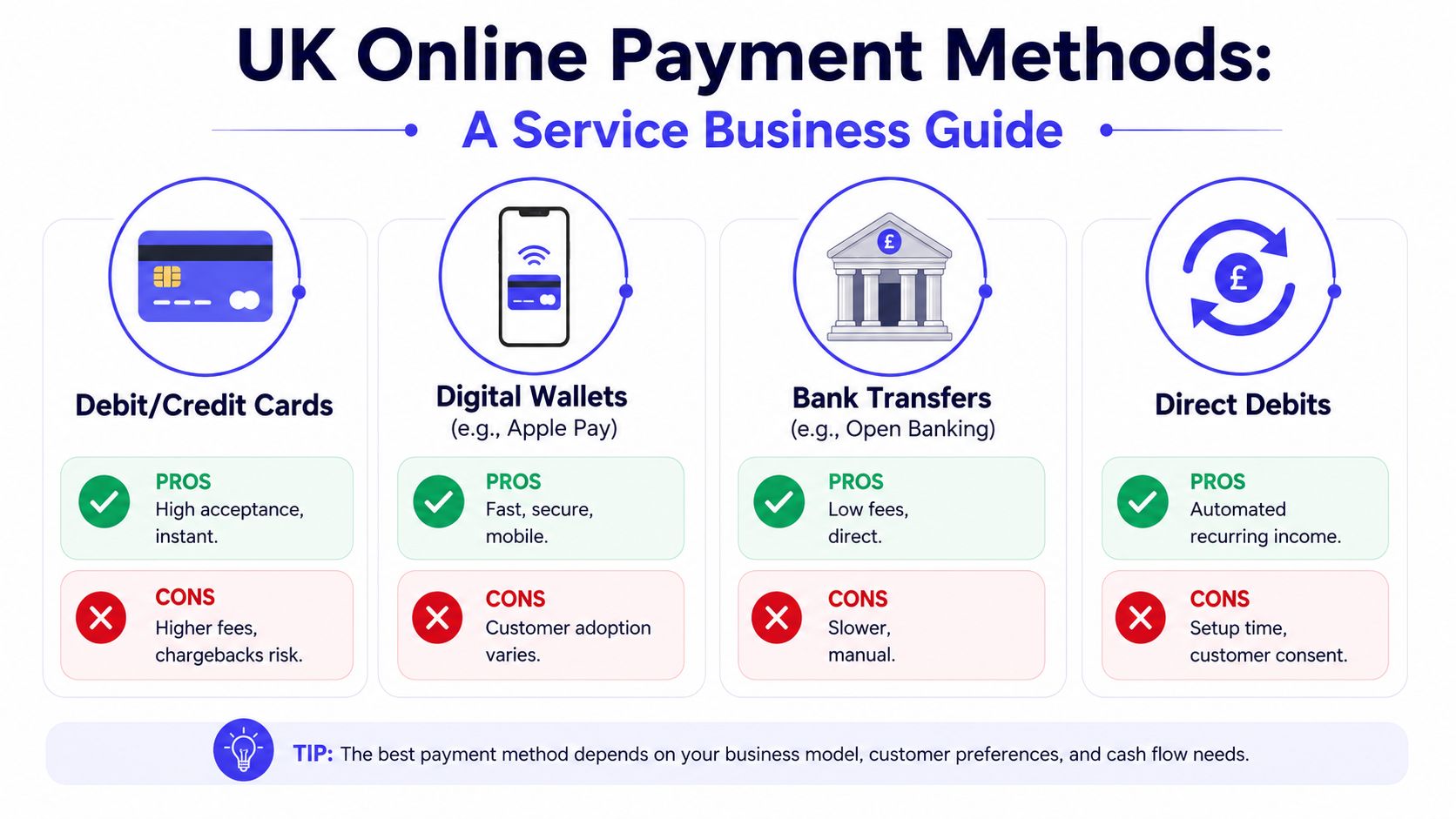
| Payment method | Best use | Main upside | Main trade-off |
|---|---|---|---|
| Debit and credit cards | One-off invoice payments, deposits, quick settlement | Familiar and widely accepted | Fees are usually higher than direct bank payment methods |
| Digital wallets | Mobile clients paying from phones | Fast checkout with less typing | Customer usage still varies by audience |
| Open Banking or account-to-account payments | Invoices where cash flow matters | Can reduce card network costs and support instant settlement | Setup options vary by provider |
| Direct Debit | Retainers, subscriptions, recurring service plans | Predictable recurring collection | Not ideal for ad hoc or urgent one-off invoices |
Cards are the easiest baseline. If you only add one method, start there because customers already understand it. Digital wallets such as Apple Pay and Google Pay are the natural next layer because they remove friction for mobile users.
Open Banking deserves special attention for UK service businesses. It skips card network fees and suits businesses that care about quicker access to funds, especially when waiting on a card settlement cycle causes stress. For trades and sole traders, that can be a meaningful operational advantage.
Practical rule: Match payment methods to the way you invoice. One-off jobs need simple pay-now options. Ongoing client work often benefits from recurring collection.
Direct Debit is different from the others. It's less about convenience at the point of sale and more about consistency. If you bill monthly for support, maintenance, coaching, or retained marketing work, it can be useful. If every invoice is different, it's usually less important than cards, wallets, and direct bank payment options.
Choosing Your Online Payment Provider
Once you know how you want clients to pay, the next decision is who handles the payment infrastructure. Many small businesses often drift into a messy setup without meaning to at this point. They choose a gateway first, then bolt it onto invoicing later, then discover they still have to manage statuses manually.
Standalone gateway or integrated system
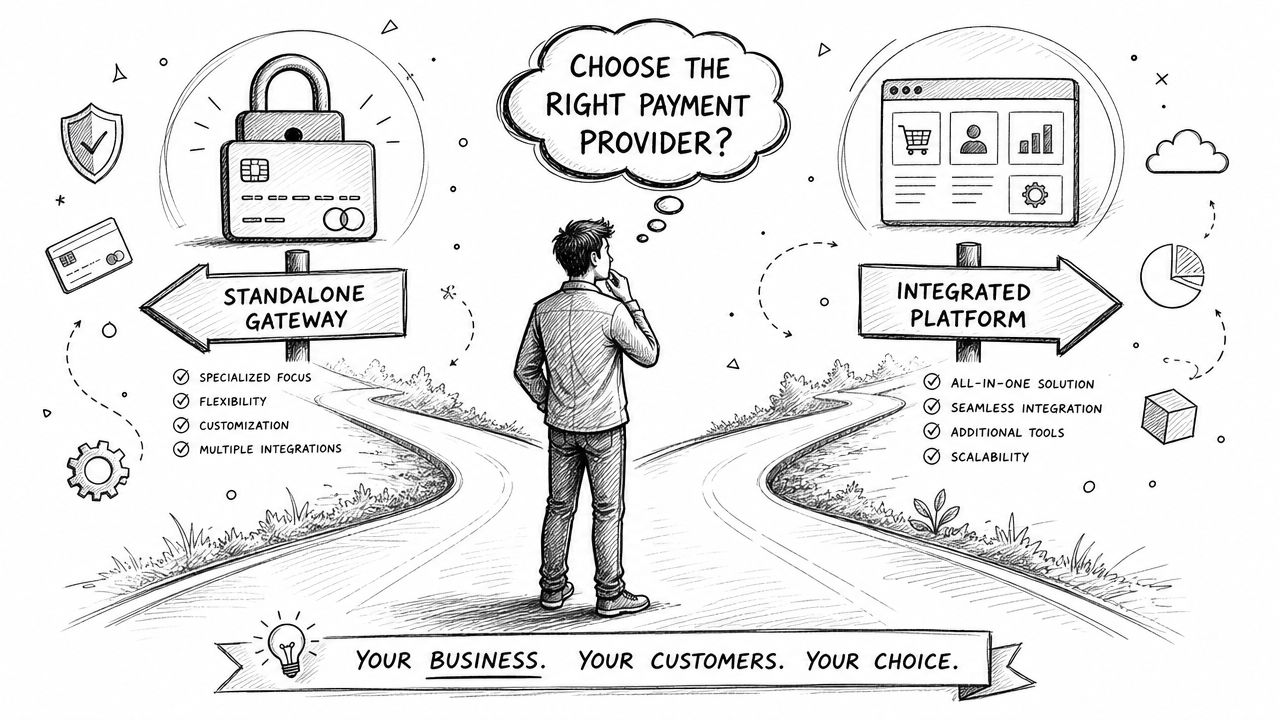
A standalone gateway can work well if you already have a custom website, a defined billing process, and the time to connect everything properly. Businesses often look at names such as Stripe, Worldpay, or GoCardless because each covers a different part of the payment ecosystem.
The problem isn't that standalone providers are bad. The problem is that they often become one more dashboard to check, one more system to reconcile, and one more moving part between a quote, an invoice, and a paid job.
An integrated system handles the workflow in one place. You create the client record, issue the quote, convert it to an invoice, send the payment request, and track the result without hopping between tools. For a new business or a lean team, that's usually easier to run day to day. AetherCloud is one example of that model because it combines company setup, quoting, invoicing, payments, CRM, and scheduling in a single workflow, which starts with the business configuration tools in its company setup area.
What to compare before you commit
Price matters, but the cheapest-looking option on the homepage isn't always the cheapest in practice. According to Merchant Savvy's guide to UK payment processors, standard UK processors often charge 1.5% + 20p per transaction, and it also warns that small businesses should watch for long-term contracts and hidden cancellation fees.
That means your comparison should include more than the headline fee.
- Transaction pricing: Check whether the provider charges a flat rate, a percentage, or a blended structure that changes by card type.
- Settlement and reconciliation: Ask how easily payments map back to individual invoices.
- Contract terms: Some providers lock businesses into terms that are frustrating to exit.
- Customer experience: A clunky hosted payment page can slow payment even if the fee looks acceptable.
- Operational fit: If you invoice clients rather than selling products, invoice links and payment pages matter more than shopping cart features.
A fragmented stack usually looks cheaper at first because each tool solves one narrow problem. Over time, the hidden cost is staff time. When your admin process depends on copying references, updating invoice statuses by hand, and checking multiple systems, you're paying for that complexity every week.
Choose the provider that reduces admin as well as processing payment. The fee is only one part of the cost.
How to Set Up Payments on Invoices and Links
A typical UK service business gets paid after sending a quote, doing the work, and issuing an invoice. The payment setup needs to fit that process. A shopping cart does not help much if your real jobs start with an estimate, a call-out, or a proposal.
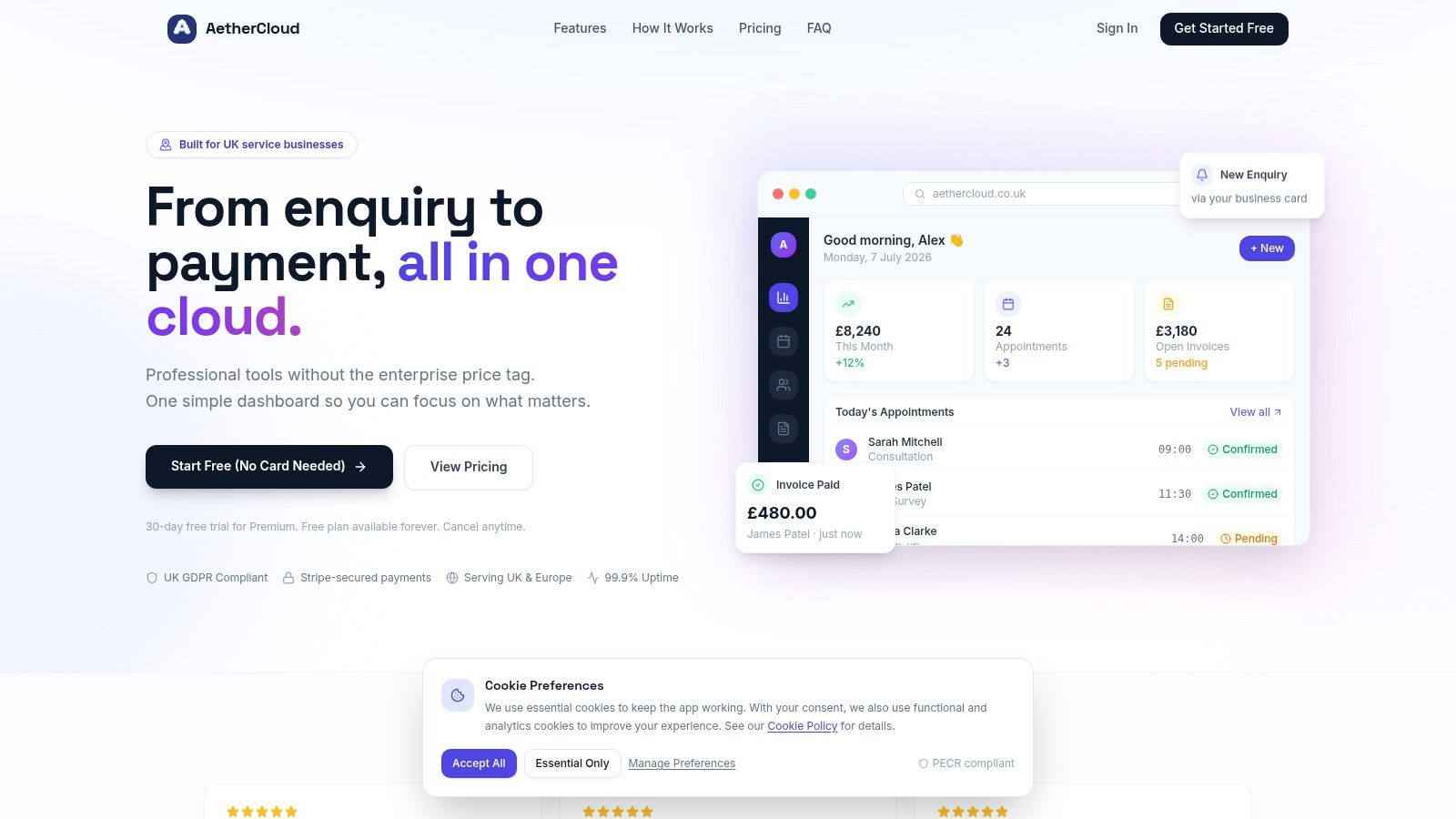
A simple dashboard makes this easier to manage:
Adding payment to a digital invoice
Start with the invoice your client already expects to receive.
The cleanest setup is a connected flow. Create the quote, get approval, convert it into an invoice, then send that invoice with a payment button or card link already attached. GOV.UK's guidance on sending and storing invoices electronically supports the practical shift to digital invoicing. For service firms, the operational advantage is simple. The client can approve, receive, and pay through one clear path instead of chasing bank details or asking what reference to use.
A sensible workflow looks like this:
- Create the estimate or proposal inside your quoting system.
- Send it for approval.
- Convert the approved quote into an invoice without retyping the details.
- Send the invoice with an online payment button.
- Let the system mark the invoice paid when the transaction completes.
The quote-to-invoice path is important because it removes rework. If your team builds the quote in one tool and then recreates the invoice somewhere else, errors creep in. Prices change, descriptions get shortened, and deposits are easy to miss. Keeping the whole flow tied to approved quotes and invoice conversion gives you a cleaner audit trail and saves admin time each week.
Using payment links for deposits and simple sales
Some payments need to be collected before the final invoice exists. Deposits are the obvious example. A decorator may need money upfront for materials. A consultant may want a booking payment before blocking out a half-day session. A freelancer may need a quick way to charge for extra work agreed by email.
Payment links work well when:
- You need a deposit upfront before ordering materials or reserving time.
- You sell a fixed-price service such as an audit, call-out, workshop, or strategy session.
- A client wants to pay quickly without waiting for a formal invoice to be raised first.
The trade-off is control. Ad hoc links sent from a payment app can be fast, but they often create reconciliation work later. A better setup records who paid, what the payment was for, and whether it should sit against a deposit, a one-off sale, or a later invoice balance.
This walkthrough shows the kind of flow that works well for service businesses collecting payments online:
For most trades, consultants, and freelancers, the practical answer is straightforward. Put the payment option where the customer already is: on the quote, on the invoice, or in a payment link tied back to the job. That usually works better than stitching together separate tools built for online retail.
UK Security Rules and Best Practices
A plumber sends an invoice link after a full day on site. The client opens it on their phone, pays by card, and wants confidence that the page is genuine and their details are protected. That trust matters just as much as the payment option itself.
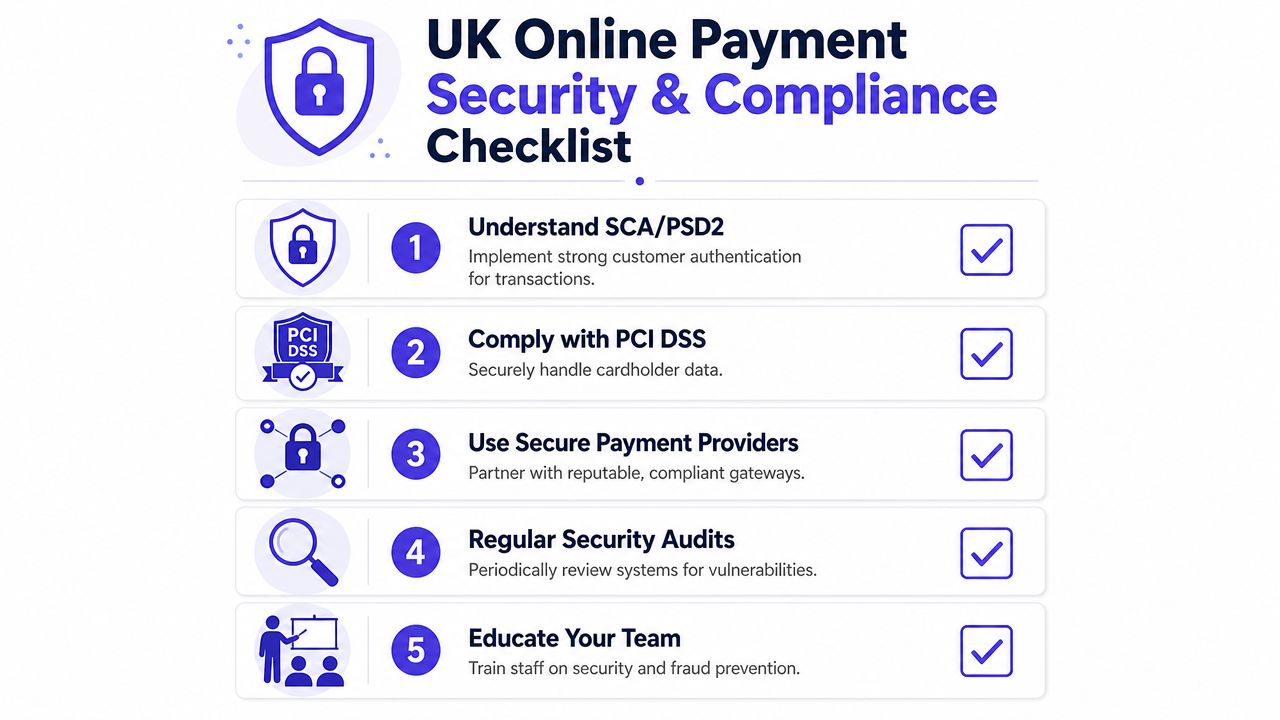
For UK service businesses, the practical goal is simple. Let clients pay online without your business ever having to store or handle card details directly. That is usually the safer route, and it is far easier to manage than piecing together separate tools and manual workarounds.
What the rules mean in practice
If you take card payments through invoice links, emailed requests, or online payment pages, those are card-not-present transactions. They carry a higher fraud risk than chip-and-pin or contactless payments in person, so the checks around them matter.
The main protection clients will recognise is Strong Customer Authentication, often delivered through 3D Secure. In practice, that means the customer may be asked to confirm the payment through their banking app, a one-time code, or another approval step. Providers such as Stripe explain that these checks help meet UK and European payment rules for online card payments and reduce avoidable fraud and disputes.
PCI DSS causes the most confusion for small firms. The useful point is not memorising the standard. It is choosing a setup that keeps card handling away from your business wherever possible. If staff are taking card numbers over email, writing them down, or storing them in a system that was never designed for card data, the risk goes up quickly. SecurityMetrics explains that businesses which do not comply with PCI DSS can face card-scheme penalties and added costs from their payment partners, on top of the cleanup work if something goes wrong.
Your payment pages should use HTTPS, and your provider should explain clearly how it handles customer data, account access, and retention. If you are comparing systems, read the provider's privacy and data protection policy before you switch.
If a tool expects you to touch raw card data, choose a different tool.
Daily habits that reduce payment problems
Good payment security is mostly operational discipline. Service businesses do not need a long policy document. They need a payment process that staff can follow without guessing.
- Send payment requests from the same business email address each time. Clients are more likely to trust the request and less likely to mistake it for phishing.
- Use clear job descriptions on invoices and payment pages. A specific description makes disputes easier to defend and reduces "I don't recognise this charge" complaints.
- Reconcile payments promptly. Matching the payment to the quote, deposit, or invoice straight away helps you spot duplicate payments, short payments, and failed transactions early.
- Control who can issue refunds or edit payment amounts. Small teams often overlook user permissions, but loose access creates avoidable risk.
- Avoid sharing login credentials. Each person handling billing should have their own access so changes can be tracked properly.
For trades, consultants, and freelancers, the best setup is usually the least complicated one. A single system that sends the invoice, hosts the payment page, records the payment, and updates the customer record gives you fewer failure points than a chain of separate apps. That matters in real life, because security problems in small businesses often start with rushed admin rather than complex fraud.
The client experience should feel straightforward. They receive a professional invoice, open a secure payment page, complete any authentication their bank requires, and get confirmation immediately. That protects cash flow and makes your business look organised.
The Simple Way to Manage Your Business Payments
Accepting online payments used to feel like an add-on. It isn't anymore. It's part of running a credible, efficient service business in the UK.
That shift is only getting stronger. The UK digital payments market was valued at USD 3.8 billion in 2025 and is projected to reach USD 11.6 billion by 2034, according to Open Banking UK's 2025 overview. For a service business owner, the practical meaning is simple. Clients expect digital payment options, and businesses that make payment easier are easier to buy from.
The key operational gain isn't just taking card payments online. It's connecting payment to the rest of your workflow so your quotes, invoices, customer records, and payment status stay in sync. That reduces admin, speeds up cash collection, and gives you a clearer view of what has been paid.
If you're still relying on emailed PDFs, bank transfer instructions, and manual reconciliation, there is a more organised way to work. A single system is usually easier to maintain than a stack of disconnected apps, especially when you're busy serving clients and don't want billing admin to spill into evenings.
If you want a simpler way to handle quotes, invoices, payments, scheduling, and client records in one place, take a look at AetherCloud. It's built for UK service businesses that want to get paid faster, stay organised, and run a more professional operation without stitching together multiple tools.