
You took a call for a quote this morning, wrote down the customer's name, address, job details, and maybe a phone number or email. Then you checked your calendar, sent a price, booked the work, raised an invoice, and marked the payment as received. In UK law and in everyday business language, you've already handled data processing.
That's why the meaning of data processing matters to a plumber, consultant, agency owner, or freelancer just as much as it matters to a large company. The phrase sounds technical, but it describes the day-to-day flow of customer information through your business, from first enquiry to final payment. Understanding it properly helps you stay organised, look professional, and reduce compliance mistakes. For a wider view of how processed records support reporting and decision-making, see business analytics in a small business context.
Table of Contents
- What 'Data Processing' Means for Your Business
- Data Processing in Plain English
- The Legal Meaning Under UK GDPR
- Data Processing in Your Daily Workflow
- Understanding Your Roles and Responsibilities
- Practical Steps for Compliant Data Processing
- Simplify Compliance and Focus on Your Business
What 'Data Processing' Means for Your Business
A customer rings about a leaking tap. You note their name, address, and availability, then use that information to quote, schedule, invoice, and follow up. That whole chain is data processing, even though no one in your business has written a line of code.
From a quick job note to business records
The broad UK framing matters because operational systems turn raw customer details into usable business records. The NIST glossary reflects the UK GDPR idea that processing is “any operation or set of operations” on personal data, from collection and storage to erasure, and it notes that routine admin steps like booking, invoicing, and reporting fall inside that scope NIST glossary on data processing. If you keep a spreadsheet of leads, move a booking into your diary, or export a revenue report, you're processing data.
That's useful to know because many owners think compliance only applies when they “do something technical”. It doesn't. It applies when you use customer details to run the business.
Practical rule: if you can point to a customer record and say, “we used this to do a job, bill it, or store it”, you've processed data.
Why the phrase causes confusion
The term sounds abstract because it grew out of office automation. As business software replaced manual tabulation, the meaning shifted from paper-based filing and payroll to computerised workflows that still mirror the same admin tasks today history of data processing. That history explains why a modern service business sees the same pattern in booking systems, CRMs, invoice tools, and payment links.
The key takeaway is simple. Data processing isn't a separate department or a specialist function. It's part of how you run a client-facing business every day.
Data Processing in Plain English
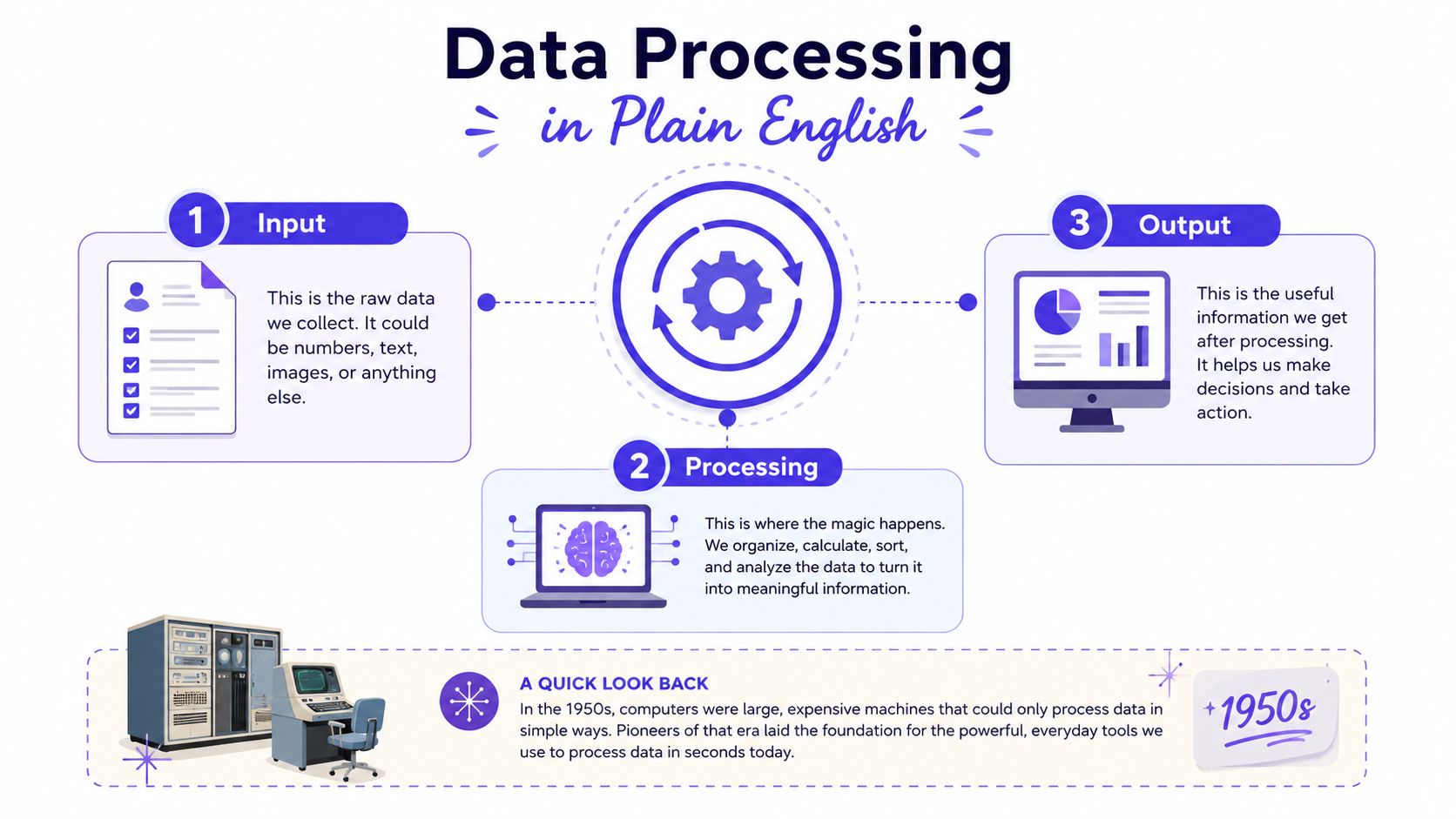
Data processing is the journey from raw facts to useful information. Britannica describes it as converting raw data into machine-readable form and moving it through a system to output devices, while Merriam-Webster frames it as turning raw data into machine-readable form and then storing, updating, rearranging, or printing it out Britannica on data processing, Merriam-Webster on data processing. In plain English, it is input, transformation, and output.
Input, process, output
A kitchen workflow shows the sequence clearly. Ingredients arrive, they are prepared into a meal, and the finished plate goes to the customer.
Your business handles customer details in the same way.
A booking request is the input. The quote, invoice, or schedule is the processing result. The sent document, payment record, or report is the output.
That cycle explains why isolated spreadsheets can cause trouble. If one person stores the lead in one place, another creates the quote elsewhere, and a third updates payment status in a different file, the same data gets retyped, checked, and corrected more than once. The work becomes harder to trust because the business is no longer working from one consistent record.
For a practical example of keeping records in one place, see how to create a spreadsheet for business records.
Why the term became common
The words “data processing” became common in the 1950s as businesses moved repetitive office work into automated systems, especially payroll, banking records, stock control, reservation systems, and billing history of data processing. That history matters today because the structure of those jobs has not changed much. You still collect details, check them, turn them into a quote or invoice, and store the result for later use.
The simplest test is this, if a system takes raw customer facts and turns them into something you can use to run the business, it is processing data.
Google Cloud describes a similar pipeline, with collection, cleaning, transformation, analysis, presentation, and storage as part of the same flow Google Cloud on data processing. That is a useful reminder for small businesses. The concept is not just analysis at the end of the chain. It is the whole chain itself.
For business owners, the payoff is clarity. Once you see your admin tasks as one flow, it becomes much easier to spot duplication, missing details, and delays.
The Legal Meaning Under UK GDPR
A small business can do everything right on the job and still mishandle customer data if the legal meaning of data processing is misunderstood. Under the UK GDPR, it covers any operation or set of operations on personal data, including collection, recording, organising, structuring, storage, adaptation, retrieval, consultation, use, disclosure, alignment, combination, restriction, erasure, and destruction NIST glossary on data processing. For a tradesperson or consultant, that means the law reaches far beyond a database screen. It covers the everyday actions that keep quotes, bookings, invoices, and follow-up records moving.
What counts as processing in day-to-day work
A new lead saved on your phone is processing. Updating a customer address in your system is processing. Checking the status of a quote, deleting an old contact, or correcting a spelling mistake in a record all fall inside the same legal idea. The scope is wide because the law looks at the full lifecycle of personal data, not just the moment you type it in.
That is why the meaning of data processing in a UK business setting includes ordinary admin work, not only analytics or IT. A booking note in a diary, an invoice in your accounts system, and a sales report exported for review all sit within one regulated flow. If those records move between tools without a clear method, the risk is not abstract. It shows up in mistakes, lost context, and unclear retention.
Why the legal meaning matters to small firms
The legal meaning helps you decide where care is needed. It shows which forms need a clear notice, which records should be kept for a set purpose, and which tools need to be used consistently. When a booking, a quote, and a payment record are all personal data, you can build simple rules around them instead of treating each task as a separate admin chore.
For a practical view of how customer communication fits alongside those records, see customer engagement strategies for service businesses.
Practical rule: if a customer would reasonably expect you to use their details to book, invoice, or complete a job, treat that information as regulated business data, not casual notes.
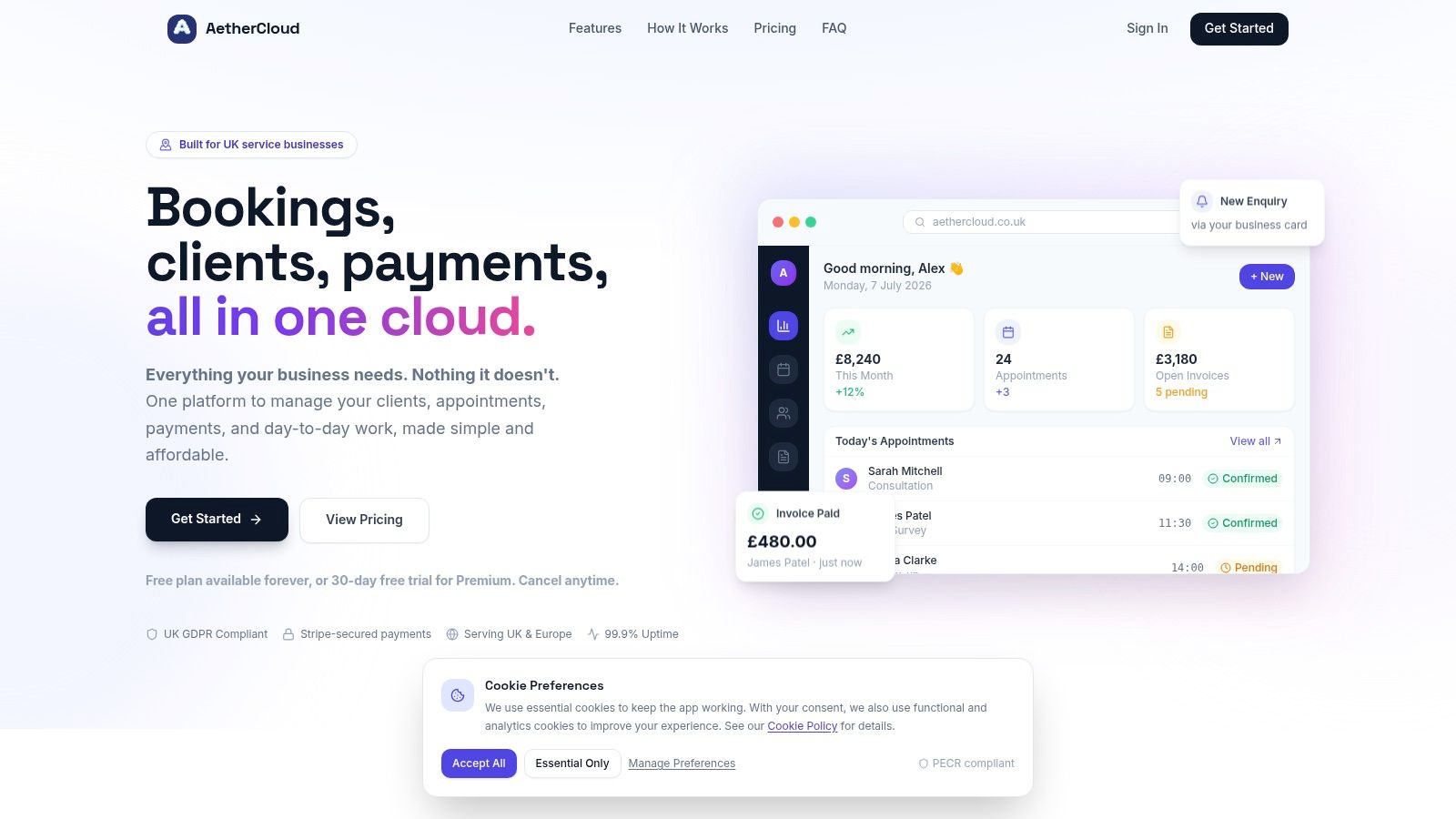
A system like AetherCloud helps because it keeps those steps in one place. That makes it easier to see what was collected, what changed, who needs access, and when a record should be archived or removed. For a UK service business, that is the difference between scattered admin and a clear, controlled workflow.
Data Processing in Your Daily Workflow
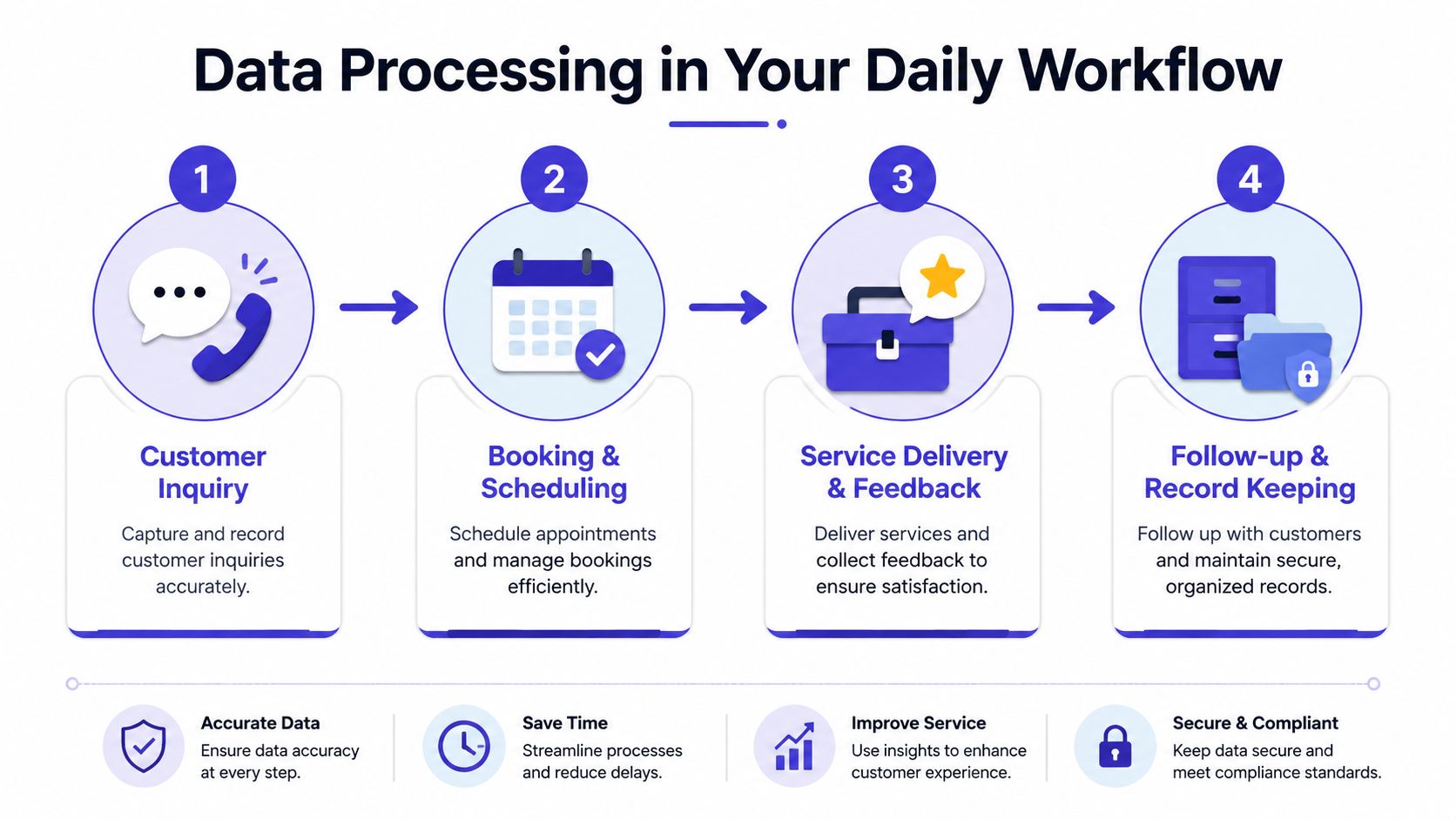
A tradesperson's day shows the meaning of data processing better than any textbook. A lead comes in, the customer shares their address, the job gets priced, the visit gets booked, the invoice gets sent, and the payment gets recorded. Each step changes the same raw information into something the business can act on.
Enquiry, booking, service, follow-up
A customer enquiry is the first point of processing. If you jot down their details in a notebook or spreadsheet, you've already collected and recorded personal data. When you turn that note into a quotation, you're reusing the same data for a new purpose.
Booking comes next. A diary entry or calendar slot adds structure, and the address, contact number, and timing now become operational information. After the job, the invoice ties the customer record to the service delivered, and the payment record closes the loop. The final archive keeps the business record available for later reference, dispute handling, or reporting.
Here's the part that trips people up. None of those steps is separate from the others. They're all linked stages in one workflow, and any weak handoff, such as retyping an address or copying a payment status into another tool, creates room for mistakes.
Where manual systems create risk
A manual setup often looks simple at the start. One notebook for leads, one spreadsheet for quotes, one calendar for visits, and one invoicing tool for bills. The problem is that each system needs the same details entered again, which increases the chance of mismatched dates, missing payment statuses, and outdated contact records.
A unified workflow avoids that duplication by keeping the same customer record moving through the process. That's the operational value of good data processing. The information is captured once, then reused for scheduling, billing, and reporting without re-entry.
If your team has to search three places to answer one customer question, your data process is already costing time.
For a practical look at moving from manual admin to a more organised workflow, time-in-motion templates are a useful way to spot where work is being duplicated. The same logic applies to jobs, invoices, and follow-ups.
The best systems make the flow feel invisible. The worst ones force you to keep translating the same information from one tool to another.
Understanding Your Roles and Responsibilities
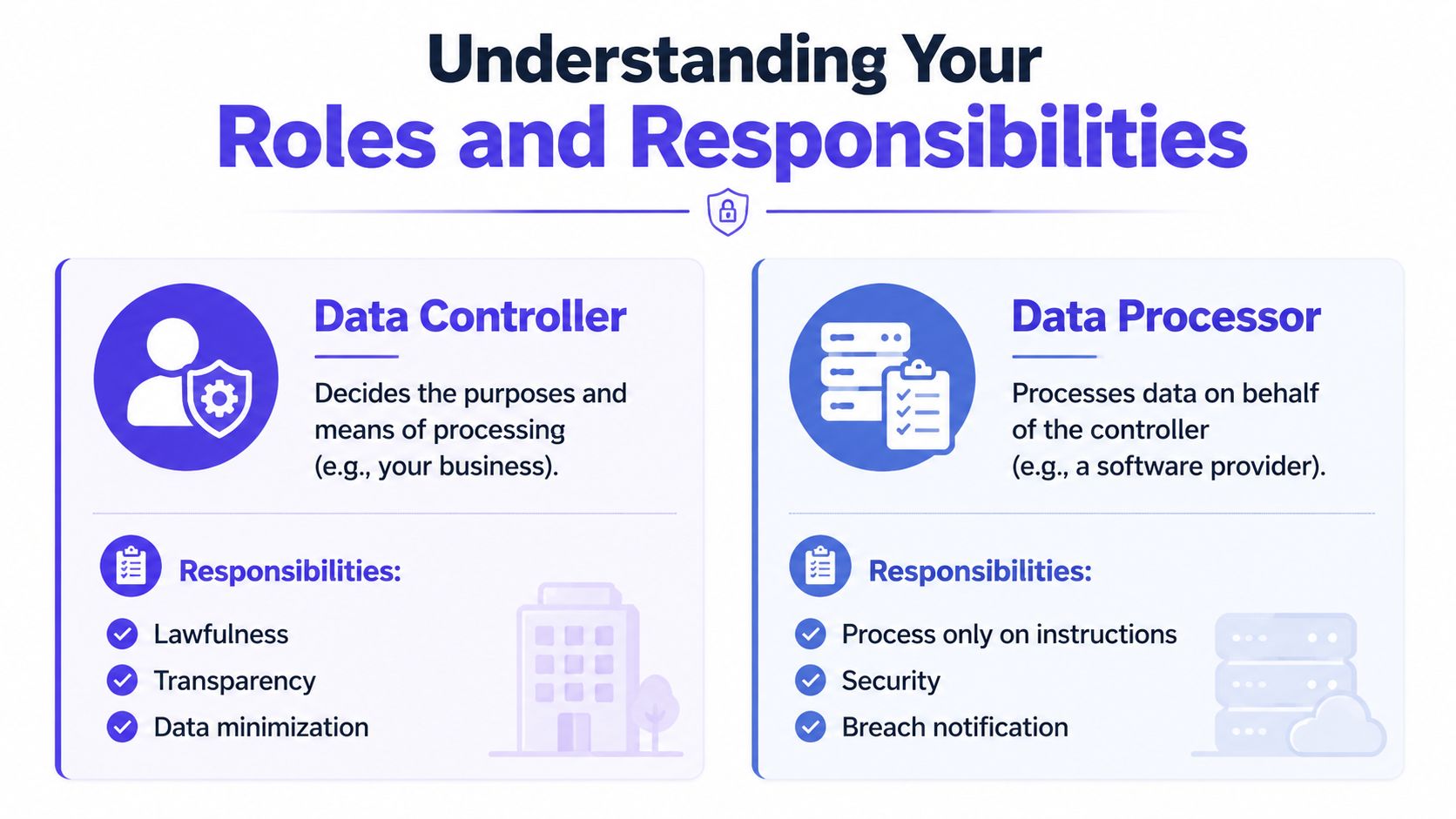
UK GDPR uses two roles that matter in practice, the Data Controller and the Data Processor. The controller decides why personal data is used and how it's handled, while the processor acts on the controller's instructions. For a small service business, the owner is usually the controller because they decide what customer data is collected, how quotes are issued, and when invoices go out.
Controller and processor in real life
A sole trader who chooses the booking form, decides what contact details to ask for, and determines when to chase an invoice is the controller. A software provider that stores or moves those details on the trader's instructions acts as the processor. That split matters because responsibility doesn't disappear when you use software. It just becomes clearer who handles which part of the work.
The controller remains responsible for lawful handling, transparency, and keeping the amount of data collected sensible. The processor must only act on instructions, keep data secure, and notify the controller appropriately if something goes wrong. In other words, using a platform doesn't remove your obligations. It defines them more clearly.
Lawful basis without the jargon
A lot of small businesses over-focus on consent. In everyday service work, that's often the wrong lens. If you need a customer's details to provide the quote they asked for, book the job, send the invoice, or take payment, the more relevant basis is usually contractual necessity, because the processing is needed to do the job the customer wants completed.
That distinction matters because consent can be withdrawn, while operational processing for delivery and billing still has to happen where it's necessary. If you understand that difference, you can stop asking for permission in places where a normal business process is the better fit. You can also avoid cluttering your forms with unnecessary checkboxes.
For payment-related workflows, accepting online payments correctly is a good example of where processor relationships and customer records meet in practice.
Useful shortcut: ask whether the data is needed to deliver the service or simply nice to have. If it's just nice to have, leave it out.
The business benefit is plain. Clear role definitions make contracts easier to manage, reduce confusion with third-party tools, and help you keep your customer records aligned with how your business works.
Practical Steps for Compliant Data Processing
Compliance gets easier when you break it into small, normal tasks. You don't need a legal department to get the basics right, but you do need a consistent process for how customer data enters, moves through, and leaves your business. A sensible setup gives you less risk and less rework.
A short compliance checklist
- Write a clear privacy notice: Tell customers what you collect, why you collect it, how long you keep it, and who can see it. Keep the language plain and visible on your website or forms.
- Check your forms: Booking, contact, and quote forms should ask only for the details you need. If a field doesn't help you serve the customer, remove it.
- Use secure access controls: Not everyone in your business needs access to every record. Limit who can see invoices, customer notes, and payment details.
- Keep a breach plan ready: If data is lost, sent to the wrong person, or exposed, you need to know who acts first, who investigates, and who tells the customer.
- Review retention regularly: Delete or archive records when you no longer need them. The legal meaning of processing includes erasure, so deletion is part of the job, not an afterthought.
When tools help, and when they make things harder
A lot of the friction comes from using too many disconnected apps. One tool stores bookings, another handles invoices, another takes payments, and a spreadsheet fills the gaps. That setup makes it harder to explain what happened to a record, who changed it, and whether the latest version is the right one.
An all-in-one platform built for UK service businesses can reduce that friction by keeping quotes, invoices, payments, and customer records in one place. That doesn't replace legal responsibility, but it does make disciplined handling much easier because the same record follows the same workflow. It also gives you a cleaner audit trail when a customer asks about a booking, payment, or invoice status.
Good compliance is mostly good housekeeping. If the data is organised, access is limited, and the workflow is consistent, half the battle is already won.
For a service business, that means fewer lost details, faster replies, and less time spent reconciling mismatched records. It's the practical side of data protection that often gets overlooked.
Simplify Compliance and Focus on Your Business
The meaning of data processing is broader than most owners first expect, but it's also more manageable once you see it as part of everyday operations. Customer details move from enquiry to booking, from booking to invoice, and from invoice to archive, and each step is processing under UK GDPR. The businesses that handle that flow consistently tend to look more professional and make fewer avoidable mistakes.
The problem usually isn't the law itself. It's the number of disconnected tools, duplicated records, and manual updates that sit between the enquiry and the payment. When data lives in one place, the process is easier to follow, easier to secure, and easier to explain to customers.
If you want scheduling, quoting, invoicing, payments, and client records in one UK-focused system, AetherCloud brings those pieces together without the usual admin sprawl. Visit AetherCloud to see how one simple platform can help you manage customer data more cleanly, stay organised, and keep your business moving.