
You're probably in the same place a lot of new UK service business owners start.
Jobs are coming in. Enquiries arrive by phone, WhatsApp, email, Instagram, or a website form. Appointments sit in one calendar. Customer notes sit in a spreadsheet. Quotes live in Word files. Invoices go out later than they should because you need to retype the same details again. Then Sunday evening disappears into admin you thought you'd “catch up on”.
That's not a time-management issue. It's a systems issue.
For many trades, freelancers, consultants, and small agencies, the core problem isn't lack of effort. It's using a DIY stack of disconnected tools that were never designed to work together. The result is slower quoting, missed follow-ups, patchy records, and delayed payments.
Table of Contents
- Are You Drowning in Business Admin
- Unifying Your Operations in One Place
- Core Features That Run Your Business
- Save Time Get Paid Faster and Look More Professional
- A Buyer's Checklist for UK Businesses
- Getting Started and Tracking Your Success
- The Simple Way to Run Your Service Business
Are You Drowning in Business Admin
A plumber finishes a job and writes the details in a notebook while sitting in the van. A freelance consultant keeps prospect notes in a spreadsheet, sends quotes as PDFs from a laptop, and later copies the same information into an invoice. A small creative agency tracks meetings in one app, client conversations in another, and payment chasing in email folders.
All of that feels manageable at first. Then the cracks show.

What the day often looks like
You confirm one booking but forget to update another calendar. You send a quote but can't immediately see whether the customer approved it. You complete the work but the invoice waits until the evening because the job notes and pricing aren't in the same place.
That's how admin multiplies. Not in one dramatic failure, but in dozens of tiny handoffs.
UK businesses dealing with fragmented processes often end up in what Business Reporter describes as operational chaos, where deviations from standard processes create bottlenecks and non-compliant processes.
If you want to see where the time really goes, simple time in motion templates for admin tracking can make the problem visible fast.
Why disconnected tools create expensive mistakes
The hidden cost of a fragmented setup isn't just the monthly app subscriptions. It's the repeated handling of the same information.
- Customer details get re-entered: once in your contact list, again in your quote, again in your invoice.
- Follow-up relies on memory: if nobody sets a clear next step, warm enquiries cool down.
- Work completion doesn't trigger billing: the team finishes the job, but cash collection starts late.
- Records become inconsistent: one file says one thing, the latest email says another.
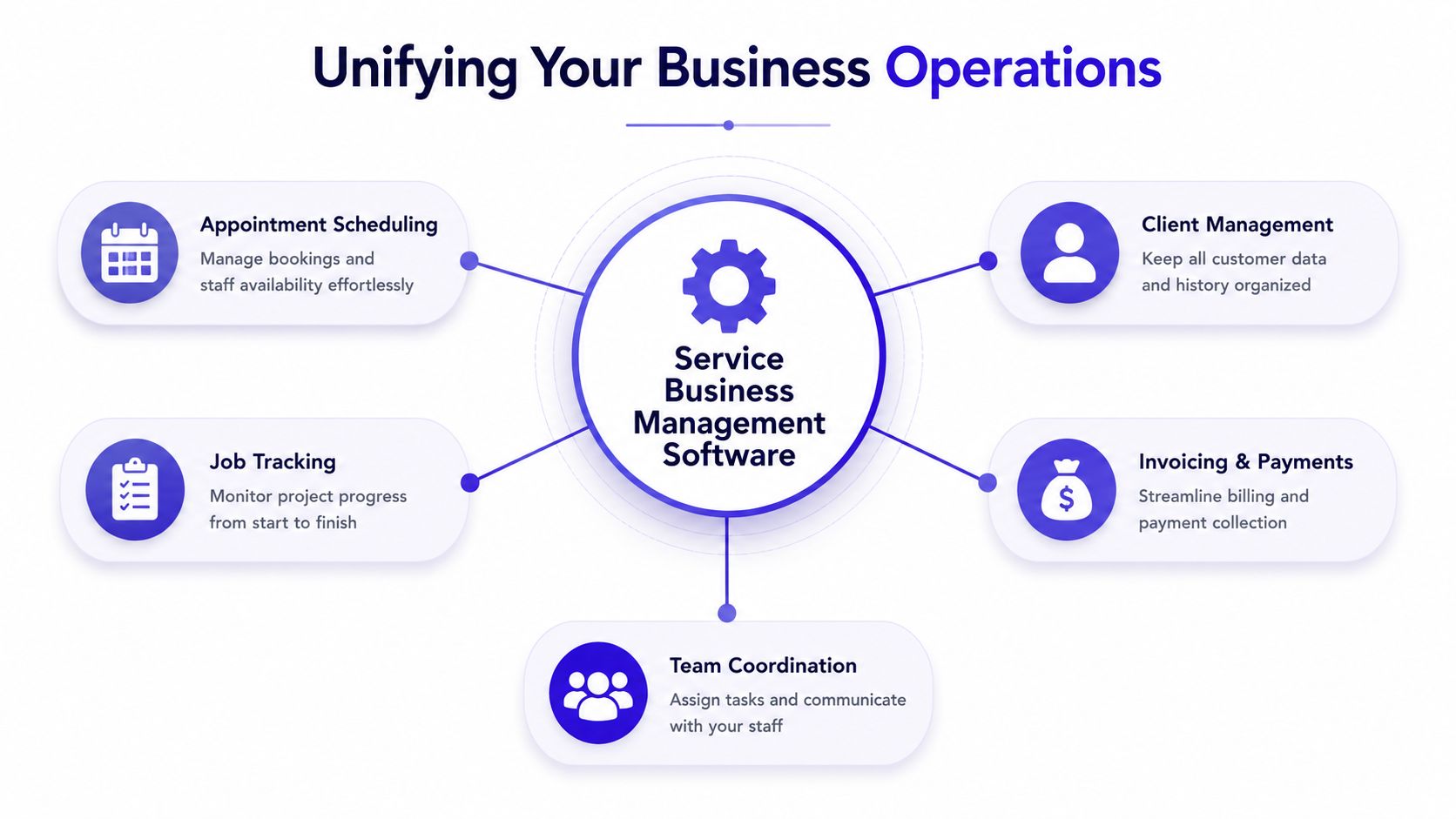
Service business management software solves that by putting the operational basics in one place. Instead of stitching together separate tools, you work from one record for the customer, the booking, the quote, the invoice, and the payment.
That's what most small service firms need. Not more software. Less switching.
Unifying Your Operations in One Place
The simplest way to think about service business management software is this. It's the difference between carrying one reliable multi-tool and carrying a bag full of loose, mismatched tools.
A separate calendar, spreadsheet, invoicing app, payment link, and CRM can technically work. But each handoff adds friction. Someone has to copy information, check for mistakes, and remember what happens next.
One system beats five separate apps
A unified platform acts like the operating centre of the business.
When an enquiry comes in, it becomes a contact record. That contact can turn into an appointment. The appointment can lead to a quote. The approved quote becomes an invoice. The invoice connects to payment collection. Because the information flows through one system, you don't keep rebuilding the same admin trail from scratch.
That matters in the UK software market too. The wider UK software developers industry reached £49.5 billion in 2026 and includes 29,053 active businesses, with CRM accounting for 25% of total demand and Business Intelligence & Analytics 10% in the management software segment, according to IBISWorld's UK software developers industry data. For a service business owner, the practical takeaway is straightforward. Customer management and usable reporting aren't extras. They sit near the centre of what buyers need.
Many firms also improve customer communication by tightening their process. Practical customer engagement strategies for service businesses usually work better when booking, history, and billing sit together.
How the workflow should actually run
Good systems reduce decisions and retyping. A strong setup should let you:
- Capture the enquiry once and keep the customer record clean.
- Book work without confusion around availability or next steps.
- Prepare a quote quickly using saved customer and service details.
- Turn approval into action without rebuilding the job or invoice manually.
- Collect payment through the same flow rather than sending people to another tool.
Practical rule: If a customer says yes, you should be able to move from estimate to invoice without copying their details into a second or third system.
That's why unified service business management software works better than a DIY stack for most small firms. The benefit isn't abstract integration. It's fewer mistakes, cleaner records, faster billing, and less admin hanging over your evenings.
Core Features That Run Your Business
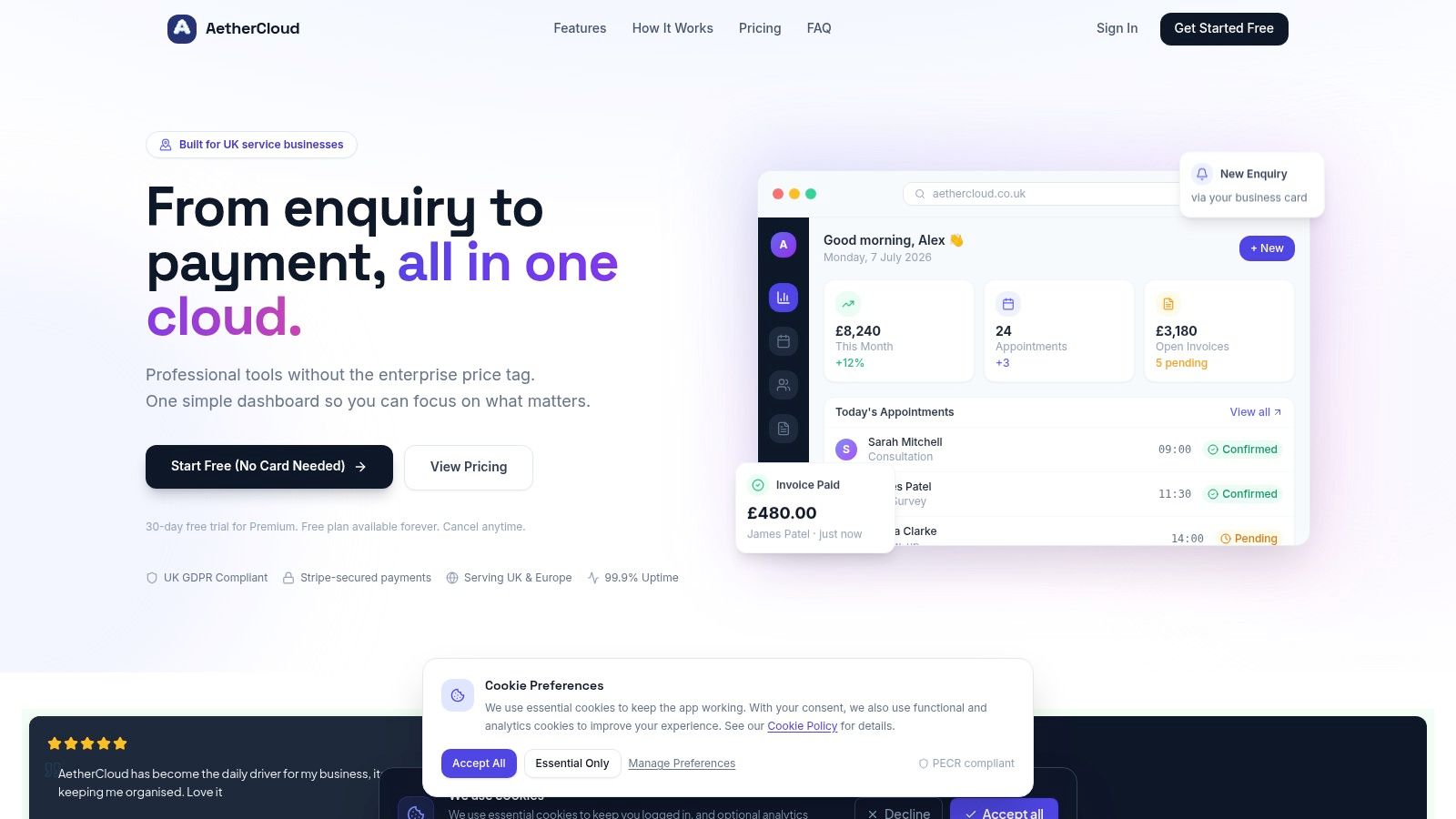
Software only matters if it removes work from your plate. For a UK service business, that usually means seven core capabilities working together instead of living in separate apps.
Here's what that looks like in practice.
The essentials most service firms need
Appointment scheduling keeps the diary accurate and visible. For trades, this means fewer double-bookings and less back-and-forth. For consultants and freelancers, it stops appointment requests from getting buried in email.
Contact management gives you a proper history for each customer. You can see who they are, what they asked for, what you sent, and what happened next. That's far more useful than scattered notes.
Job logging and assignment should be easy and immediate. In the UK field service management sector, 78% of software buyers prioritise job logging and assignment, while 73% prioritise planning and scheduling, according to UK field service software buyer requirements. That shows where the pressure lies. People need to record work clearly and assign it fast.
If your current setup still relies on a spreadsheet, it helps to understand how spreadsheets quietly create admin bottlenecks once the business gets busy.
What good quoting and billing should feel like
Quoting and estimating should be fast enough to do while the job is still fresh in your mind. If you visit a site in the morning, you should be able to send the estimate the same day. If the customer approves it, the system should let you move straight into invoicing.
That sounds basic, but many small firms still bounce between a notes app, a document template, email, and accounting software. Every extra step increases delay.
A practical setup should give you:
- Reusable quote templates for common services.
- Clear approval flow so customers can respond without friction.
- VAT-ready invoicing built for UK billing.
- Online payment collection linked to the invoice, not handled separately.
This is the part of the workflow where small businesses often feel the biggest relief. You stop rebuilding documents and start moving jobs through a repeatable process.
A quick walkthrough helps make that concrete:
Visibility matters once work starts piling up
Once you've got more than a handful of active jobs, visibility becomes part of operations, not a nice extra.
Online payments reduce friction at the point where many businesses still lose time. If payment collection sits outside the invoicing process, someone ends up reconciling it manually later.
Digital business cards are useful for solo operators and small teams who want a professional, up-to-date way to share contact details, service information, and lead routes.
Basic business analytics matter because they show what's happening without exporting data into another reporting tool. You want a simple view of revenue, customer activity, and work in progress.
A good system shouldn't just store information. It should make the next action obvious.
That's the difference between software you own and software that helps run the business.
Save Time Get Paid Faster and Look More Professional
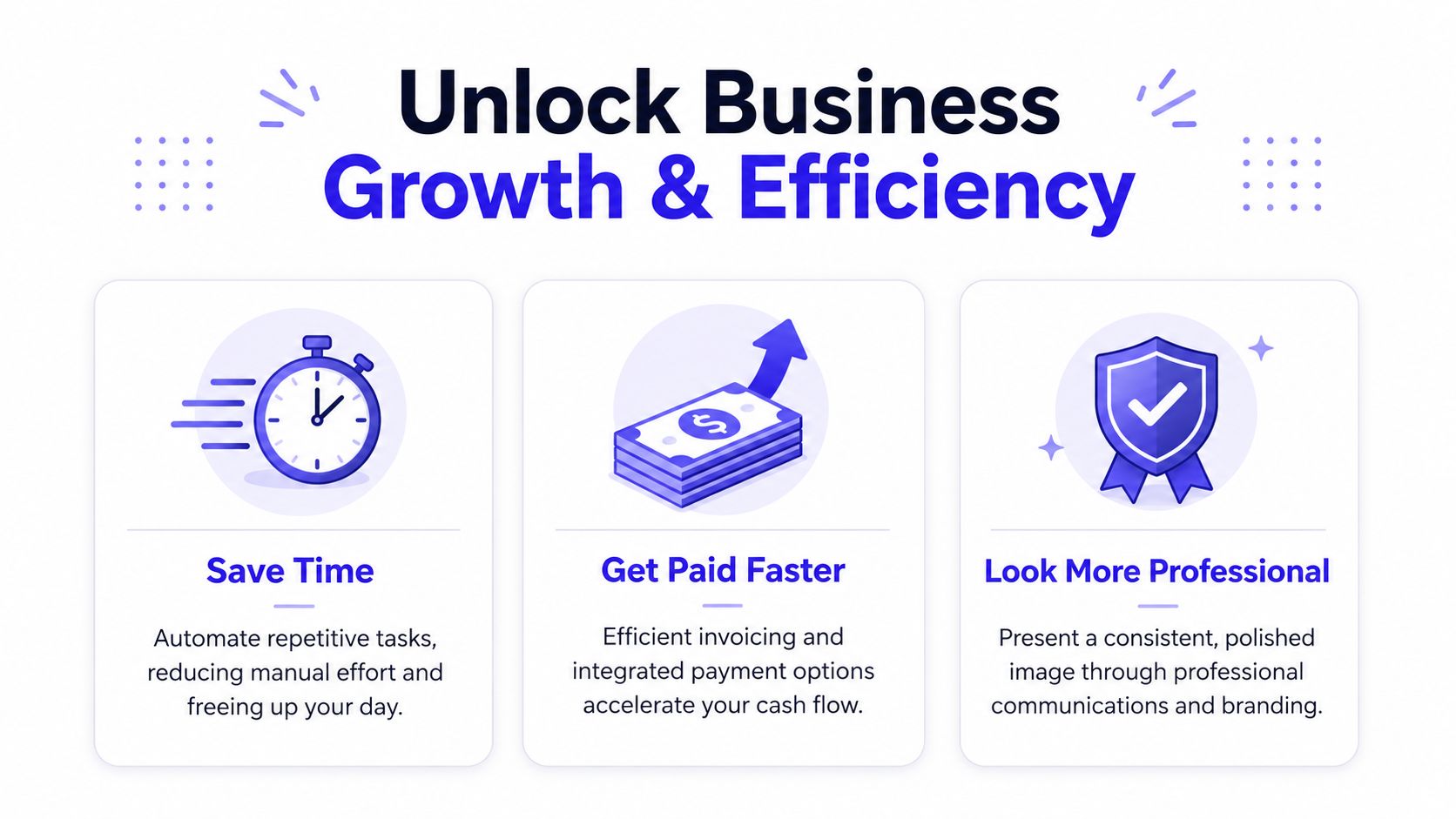
Features are only useful if they improve the day-to-day running of the business. For most service firms, three outcomes matter more than anything else. You want to reclaim time, shorten the gap between work done and money received, and present yourself like a business clients can trust.
Time savings show up in small moments
Most owners don't lose time in one huge block. They lose it in fragments.
You check one app for the booking. Another for the customer address. Another for the quote version. Then you search your inbox for the invoice you meant to send yesterday. A unified system cuts those little delays because the record sits together.
The wider market is moving this way for a reason. The UK field service management software market was valued at approximately USD 234 million in 2025 and is projected to grow at a CAGR of 8.97% through 2032, according to UK field service management market analysis. That growth reflects a practical need for real-time efficiency, not just interest in new software.
Faster payment changes how the business feels
Cash flow pressure often starts before there's a revenue problem. The work gets done, but the invoice goes late. The payment request is awkward. The bookkeeping needs another round of matching later.
When your quote, invoice, and payment collection live in one flow, you remove those delays. You also reduce the chance that a customer forgets, loses the payment link, or asks for the invoice again because the original email wasn't clear.
- Same-day invoicing keeps momentum: the customer still remembers the work and the value.
- Integrated payment links reduce chasing: clients can act when they open the invoice.
- Cleaner records simplify bookkeeping: less time gets spent matching payments manually.
The fastest way to improve cash flow is often to remove delay between completed work and sent invoice.
Practical guidance on accepting online payments for UK service businesses usually comes down to the same principle. Make payment the natural next step, not a separate task.
Professional presentation wins trust
Clients notice the basics. They notice whether your confirmation looks clear, whether your quote reads properly, whether your invoice is tidy, and whether the payment process feels legitimate.
Professionalism isn't about looking corporate. It's about being organised.
A cleaner system helps you look sharper because:
- Documents match each other instead of feeling patched together.
- Customer communication feels consistent from first enquiry to payment.
- Your team shares the same information rather than improvising from memory.
That matters most when you're small. Bigger firms often win on perceived reliability. A simple, unified system helps smaller operators close that gap without adding admin.
A Buyer's Checklist for UK Businesses
Buying service business management software isn't about finding the longest feature list. It's about finding the shortest route from enquiry to payment without creating more admin.
That's especially important in the UK small business market, where many owners start with general-purpose tools and only look for software after the patchwork becomes painful.
The questions worth asking before you buy
One of the biggest gaps to look for is the handoff between estimate and invoice. As BM Magazine's analysis of why small service firms are moving away from heavyweight software notes, the estimate-to-invoice same-day conversion gap remains a key challenge. It also highlights that 78% of UK buyers prioritise job logging, yet many tools still fail to connect these workflows cleanly, pushing firms towards simpler, mobile-first stacks.
That single issue reveals a lot. If software can't help you move from job details to estimate to invoice without friction, it will probably create work elsewhere too.
Use this checklist before you commit.
| Consideration | Key Question | Why It Matters |
|---|---|---|
| Simplicity | Can I understand the main workflow without a long setup project? | If the system feels heavy from day one, your team probably won't use it properly. |
| Quoting to invoicing | Can I move from approved quote to invoice without retyping details? | This is where many small businesses lose time and delay payment. |
| Scheduling | Is booking work straightforward for me and clear for the customer? | Confusing booking creates missed jobs and unnecessary messages. |
| CRM | Does each customer have one usable record with history attached? | You need context when a customer calls back or asks about a past job. |
| Payments | Can customers pay online directly from the invoice flow? | Separate payment processes slow collection and create more admin. |
| UK billing | Does it support GBP billing and VAT-ready invoicing? | UK service firms need local billing that works properly in day-to-day trading. |
| Compliance | Is the platform built with UK GDPR and Data Protection Act 2018 requirements in mind? | Customer data handling isn't optional. |
| Reporting | Can I quickly see revenue, clients, and activity without exporting data elsewhere? | Basic visibility helps you manage the business before problems build up. |
| Mobile usability | Can I use it properly when I'm away from my desk? | Quotes, updates, and follow-ups often happen between jobs, not at a computer. |
| Adoption | Will my team actually use it? | The best software on paper fails if nobody wants to touch it. |
Buyer test: Ask the vendor to show one real workflow from new enquiry to paid invoice. If the demo jumps between multiple products or awkward handoffs, the admin won't disappear.
For most small UK firms, avoiding feature bloat is a better decision than buying software that promises everything and slows down the basics.
Getting Started and Tracking Your Success
Most owners delay switching systems because they expect a painful setup. In reality, the safest approach is usually the simplest one. Start with the parts that affect daily admin first.
Start small and set the basics first
You don't need a massive rollout. Start with your active contacts, your service list, your company details, and your document branding. Then set up the core workflow you'll use every week: booking, quote, invoice, payment.
For UK SMEs, automating core processes like invoicing and payment collection is one of the top routine admin priorities, according to CreatePay's guide to operational efficiency for UK SMEs. That's the right place to start because it affects both time and cash flow.
A practical setup order looks like this:
- Import your contacts: start with current customers and live prospects.
- Set your branding and billing details: make sure GBP and VAT settings are correct.
- Create a few standard quote and invoice templates: don't overdesign them.
- Test one full customer journey: enquiry to booking to payment.
- Train around real tasks: show the team how to do today's work, not every possible feature.
Track the few metrics that matter
You don't need a complicated ROI model. You need proof that the business runs more cleanly after the switch.
Track simple operational signals:
Admin hours saved each week
If quoting, invoicing, and chasing payment take less manual effort, the system is working.Time from completed work to sent invoice
This is one of the clearest measures of whether your workflow has improved.Outstanding invoices
You want a visible reduction in payment delays and less uncertainty around who owes what.Confirmed bookings
If customer response and scheduling improve, this usually becomes easier to monitor.
If you want a clearer picture of what to monitor, basic business analytics for service firms can help you focus on a few useful numbers instead of drowning in reports.
The main thing is to measure the friction that used to frustrate you. That's where the return shows up first.
The Simple Way to Run Your Service Business
Most small service businesses don't have an effort problem. They have a workflow problem.
When appointments sit in one place, customer notes in another, quotes in another, and payments somewhere else again, the business gets harder to run than it needs to be. That's when evenings disappear into admin, invoices go out late, and customers experience a version of the business that feels less organised than the work you deliver.
Service business management software fixes that when it's built around the flow of a small business. Enquiry. Booking. Quote. Approval. Invoice. Payment. One connected process.
The best choice usually isn't the platform with the most modules or the most complicated setup. It's the one your business can use every day without hesitation. It should help you respond faster, bill faster, stay organised, and present yourself professionally without needing a stack of separate apps to make it work.
If you're still stitching together spreadsheets, calendars, templates, and payment links, that setup has probably already shown you its limit. A unified platform is simpler to run, easier to manage, and better for cash flow.
If you want one place to manage scheduling, contacts, quotes, invoices, payments, digital business cards, and business insights, AetherCloud is built for UK service businesses. It keeps the essentials together in a simple system with GBP billing, VAT-ready invoicing, and UK-focused workflows. Try AetherCloud to streamline your workflow and spend less time patching tools together.