

You've got the van parked, the kettle's on, and three different things are open on the table, your phone with missed calls, a spreadsheet with customer names, and a stack of paper quotes that need chasing. For a lot of UK sole traders and small service teams, that's the daily problem, not a lack of skill on the tools, but too many moving parts between the first enquiry and the money landing in the bank.
A contractors management system is the bit of software that pulls that work into one place. It helps you keep track of customers, jobs, quotes, invoices, payments, and the paperwork that sits around each job, so you're not copying details from one app into another or trying to remember which version is current.
Table of Contents
- What a Contractors Management System Actually Is
- Core Features Every UK Trade Operation Needs
- UK-Specific Considerations That Shape the Right Choice
- A Day in the Life With and Without a Unified System
- Implementing a Contractors Management System in Small Steps
- Common Pitfalls and How to Avoid Them
- How AetherCloud Brings It All Together for UK Trades
What a Contractors Management System Actually Is
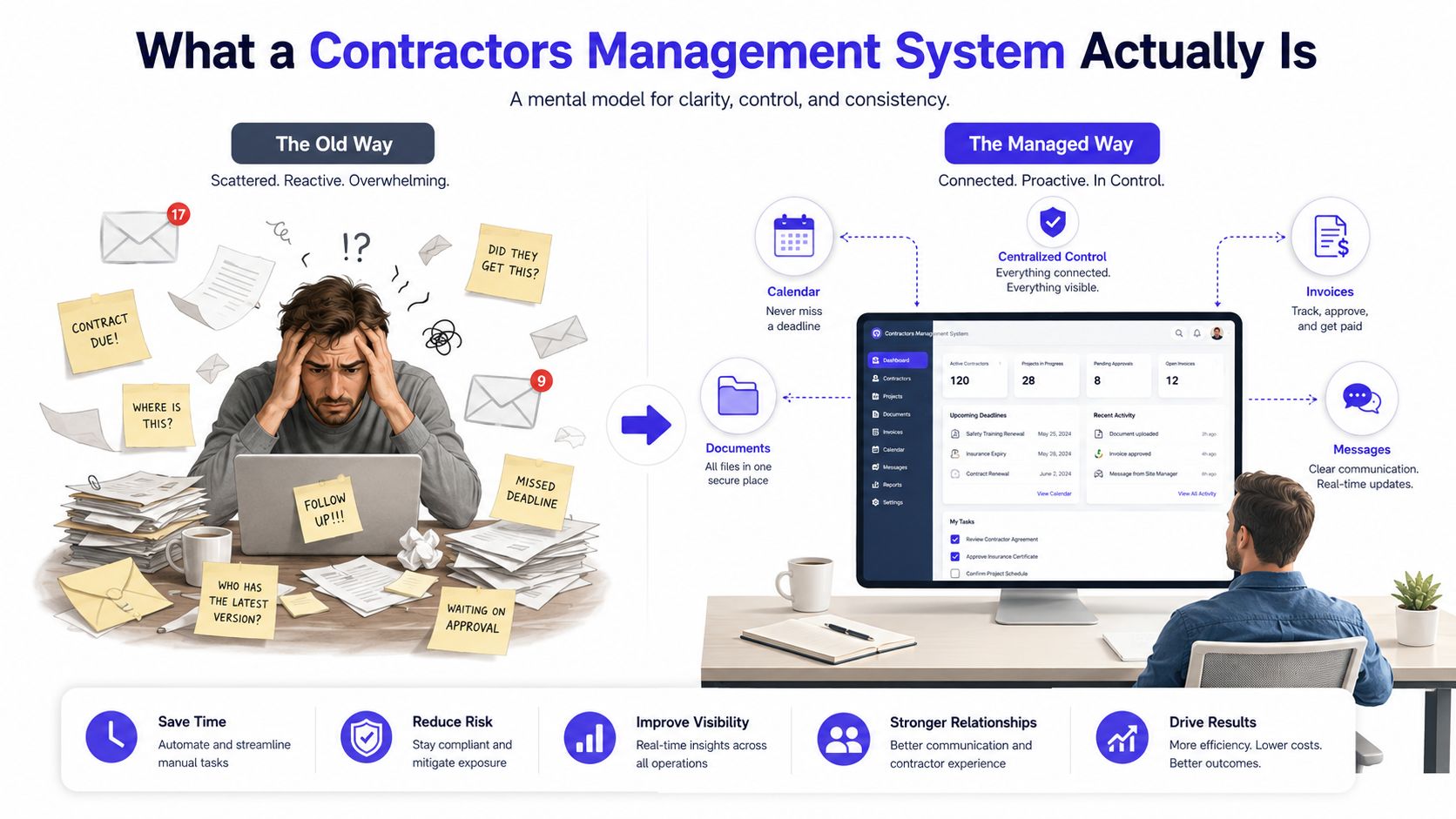
At the kitchen table, the old way usually looks harmless at first. You've got a phone for enquiries, WhatsApp for photos, a notebook for callbacks, a spreadsheet for jobs, and an invoice app that doesn't know anything about the quote you already sent.
A contractors management system replaces that patchwork with one working space. It's not heavyweight enterprise procurement software, it's more like a tidy operations desk for a plumber, electrician, cleaner, decorator, or small agency that needs to move from enquiry to payment without losing track.
The simple mental model
Think of it as a single place that stores the essentials for each job. A customer rings about a leaking tap, you save the contact, book a visit, send a quote, convert it to an invoice if they accept, and keep the job record with the rest of the paperwork attached.
Practical rule: if a job needs you to open more than two or three tools before you can answer a customer, your system is already too fragmented.
That's why the category matters so much for the UK's small-business base. The UK had 5.5 million businesses at the start of 2024, and 99.9% were SMEs, with 97% classed as micro-businesses employing 0 to 9 people, which means lightweight all-in-one tools fit the market far better than bloated software stacks. The same data also points to around 28.0 million jobs in 2024, with service work dominating employment, so centralising bookings, customer records, and billing matches how many local firms operate. (UK business structure and employment data)
For a sole trader, the point isn't abstract control. It's getting from “Can you quote this?” to “Job done, please pay here” without hunting through inboxes. If you're already using a good planner app, the next step is usually making sure the planner connects directly to quotes, invoices, and payment collection, not just diary entries, which is where a tool like good planner apps becomes only part of the picture.
Core Features Every UK Trade Operation Needs
A plumber's week is a good way to judge this, because the workflow is clear. A phone enquiry comes in, the visit gets booked, the customer needs a quote, the quote gets approved, the invoice goes out, and the payment follows. If any one of those steps sits in a separate tool, the friction starts building immediately.
The features that actually move the job forward
The first must-have is scheduling, ideally with customer-facing booking or response pages. If someone can choose a slot or confirm a visit without a chain of texts, you save time and reduce no-shows. A simple contact record then acts like a lightweight CRM, so you remember the address, the boiler model, the preferred contact method, and any notes from the last visit.
Next comes quoting. A good contractors management system lets you turn a call-out into a clear quote quickly, then let the customer approve it online. Once that approval is in, the same record should become an invoice without retyping the job details. That matters because the faster you move from estimate to invoice, the sooner you can ask for payment.
Payment links are the other piece that changes the day. Instead of chasing by phone, you send a secure payment request with the invoice, and the customer pays online in their own time. For a small trade business, that reduces the awkward follow-up work and keeps cash flow moving.
Digital business cards also earn their place. They give every team member a professional public profile, which is useful when a customer wants to keep your details after the job or pass them on to someone else. If your working day is already packed, tools like time in motion templates can help you see where the hand-offs are slow, but the fix is having fewer hand-offs in the first place.
| Daily Task | Scattered Approach | Unified System |
|---|---|---|
| New enquiry | Phone note, then later a spreadsheet entry | Saved once in one contact record |
| Quote sent | PDF attached to an email, easy to lose | Quote created and tracked in one place |
| Approval | Chased by text or call | Customer approves online |
| Invoice | Rewritten from the quote | Converted instantly |
| Payment | Bank transfer reminder or phone chase | Online payment link attached to the invoice |
A short weekly rhythm like that is what separates “busy” from “organised”. It also makes the business look more reliable, because the customer sees a clean process rather than a trail of messages.
UK-Specific Considerations That Shape the Right Choice
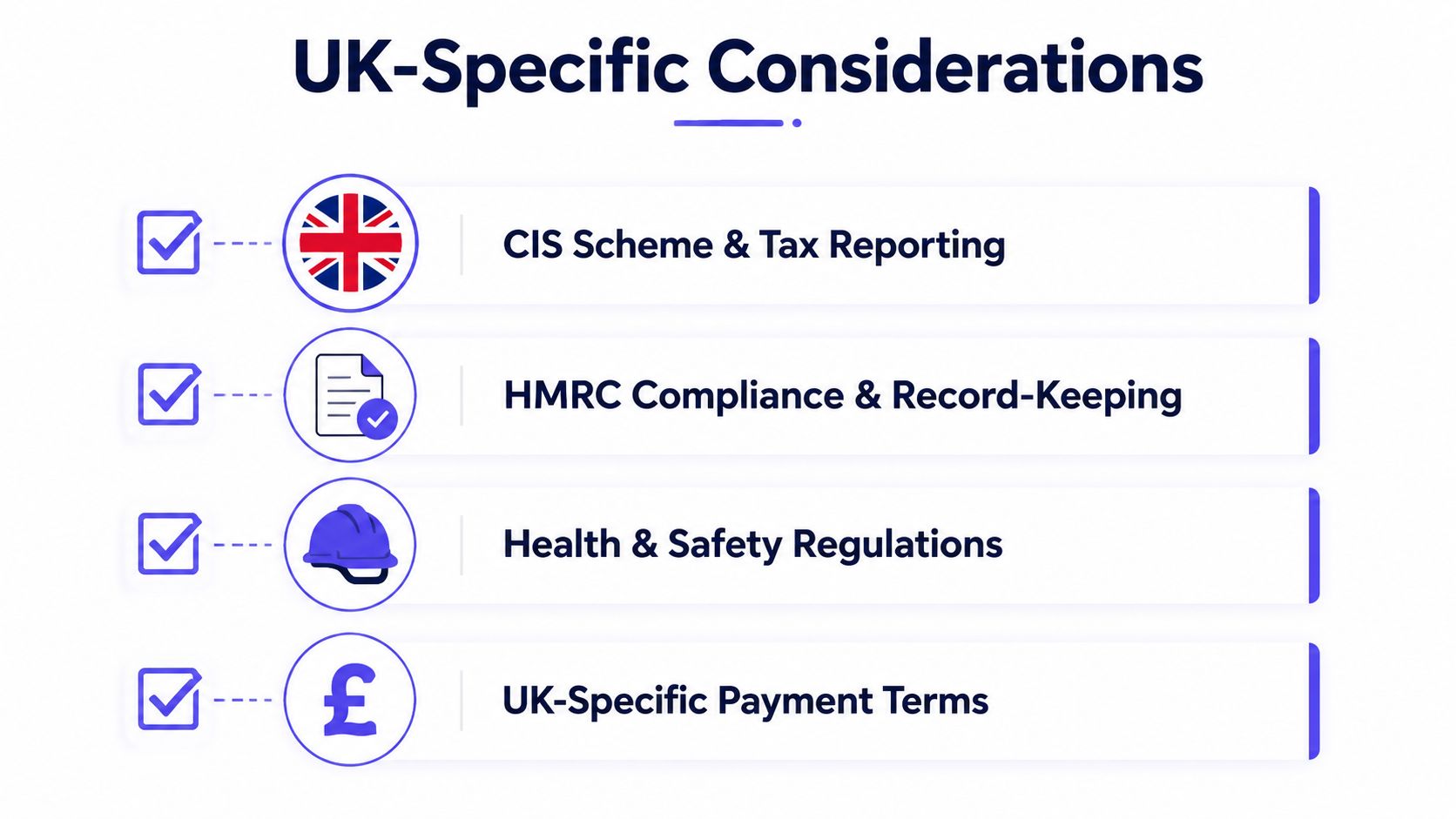
A system that works well in another country can still feel awkward in the UK if it ignores the basics. GBP billing, VAT-ready invoicing, and UK data handling aren't small details, they're part of whether the software fits your day-to-day work.
The tax side matters most for trades that use subcontractors. HMRC's Construction Industry Scheme requires contractors to deduct tax at the correct rate from subcontractor payments unless the subcontractor is registered for gross payment. The standard deduction rate is 20%, and the higher rate is 30% when the subcontractor is not registered or can't be verified, and contractors must verify subcontractors before paying them and submit monthly CIS returns. (HMRC CIS guidance context)
If the software can't handle the tax and record-keeping reality of the job, it's not saving time, it's pushing work into your inbox later.
There's also the legal side of data and records. UK service businesses need to think about UK GDPR and the Data Protection Act 2018, especially when storing customer details, job notes, photos, and subcontractor documents. The safest question to ask a supplier is simple, where is the data stored, who can access it, and how easy is it to keep a record of who approved what.
The practical questions are worth asking before you commit:
- Does it create VAT-ready invoices in pounds sterling?
- Can it track subcontractor status and CIS-related deductions cleanly?
- Are customer and contractor records easy to find later?
- Does it keep approval and payment history attached to each job?
That same mindset shows up in workflow design too. For construction and field services, the useful architecture is a single system of record with API-first integrations, plus a clean trail for quote, job, invoice, and payment events so you're not rekeying data from one place into another. In plain English, the less copying and pasting you do, the fewer mistakes you make and the faster the money moves. If you're already thinking about card or bank payment collection, accepting online payments becomes much easier when it's built into the same workflow.
A Day in the Life With and Without a Unified System
An electrician with five jobs on a Tuesday rarely loses time on the actual wiring. The time goes on the small jobs around the work, the callbacks, the quote follow-ups, the invoice reminders, and the “what was that address again?” moments.
The scattered version
The first call comes in during breakfast, and the details go into the phone notes. The customer sends a photo on WhatsApp, the quote lives in a separate document, and the appointment goes in a calendar that doesn't connect to the invoice app. By lunchtime, there's already a mismatch between what was promised and what was written down.
The worst part is the unpaid job that gets pushed to the back of the queue. The electrician finishes the work, goes home, and only then starts rebuilding the quote into an invoice. The payment reminder gets sent later, and the cash lands later still.
The unified version
The same Tuesday looks calmer when the contact, job, quote, invoice, and payment live together. The electrician saves the enquiry once, books the slot, sends the quote from the same record, and turns approval into an invoice immediately. The customer sees a clean process, not a chain of follow-up messages.
Practical rule: if a quote is approved, the next step should be invoice creation, not another admin task.
That single change affects the rest of the day. There's less double-entry, fewer missed details, and a much better chance of being paid the same day if the payment link is there. The job still needs skill and judgement on site, but the admin stops fighting the work.
If you want to map your own week against this pattern, look at the full customer journey, from first enquiry to payment. A tool that supports that cycle properly is easier to live with than one that only handles part of it, which is why a clear cycle of sales matters for trades as much as for office-based firms.
Implementing a Contractors Management System in Small Steps
The cleanest rollout is the one you can fit around live jobs. A sole trader doesn't need a project plan, they need a manageable start that doesn't interrupt the work already booked.
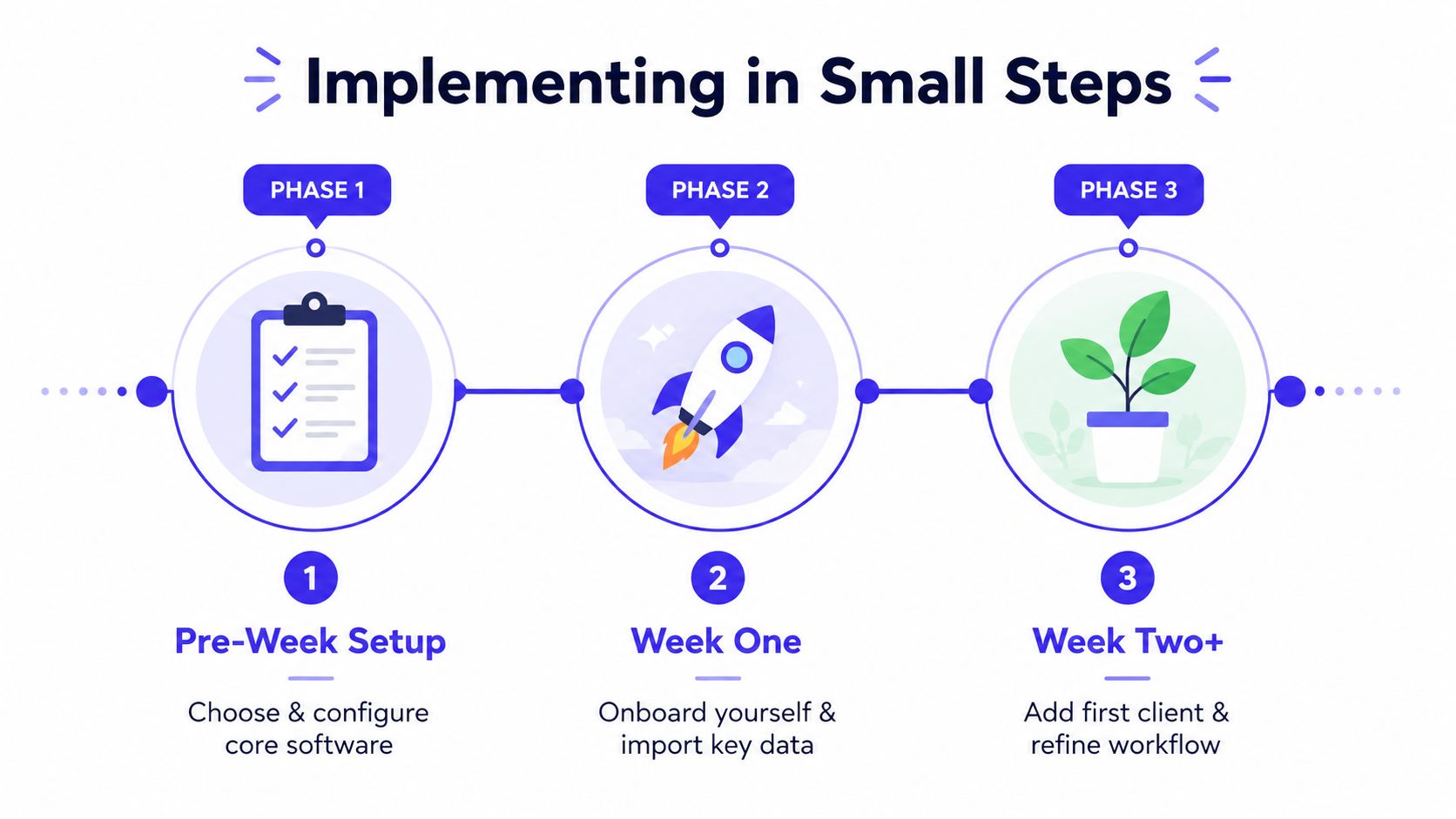
Pre-week setup
Pick one place for your customer list, one place for your price list, and one place for your quotes and invoices. Clean up obvious duplicates, make sure the business name and contact details are consistent, and decide who in the business will own the system day to day.
That first pass should be small. You're not trying to perfect every field, you're trying to stop the worst version confusion before it spreads. If your current process lives in spreadsheets, a simple spreadsheet setup guide can help you tidy the source data before you move it.
Week one
Import the contacts you use, then test a couple of real jobs from end to end. Send one quote, approve one quote, and create one invoice from it so you can see whether the flow feels natural. If the team can find the job history without asking twice, you're on the right track.
Week two and beyond
Turn on payment collection, then add digital business cards or public contact pages if the system supports them. Keep refining only the parts that slow you down in real work, not the features that look clever in a demo.
Don't switch everything on at once. A small team learns faster when each part earns its place in the working week.
A good signal that the rollout is working is simple. Customers reply faster, you stop retyping job details, and invoices go out the same day more often because the job record is already complete.
Common Pitfalls and How to Avoid Them
The first trap is running two contact lists. One lives in your phone, the other in a spreadsheet, and neither is fully up to date. That usually means missed appointments, duplicate quotes, and awkward calls where you've got the wrong version of the customer record in front of you.
The fix is boring but effective, one live list, one owner, one habit of updating it immediately after a call or visit. The same goes for invoices. If you keep chasing payments by phone instead of sending a clear online payment link, you make collections slower than they need to be.
Another mistake is treating compliance as a later problem. For UK contractors, especially where CIS or subcontractors are involved, leaving status checks until after the job starts creates avoidable clean-up work. The better habit is to capture what you need before work begins, then keep it attached to the job record.
A third pitfall is bolting on yet another free tool for one small task. That often recreates the fragmentation you were trying to escape, because now you've got more places where data can drift. The simplest rule is this, if the new tool doesn't remove a step, it probably adds one.
Useful habit: every extra app should replace a manual step, not just sit beside the ones you already use.
System design beats personal willpower. Most admin problems in a small trade business aren't caused by carelessness, they're caused by workflows that make mistakes easy. A unified system removes a lot of those mistakes before they happen.
How AetherCloud Brings It All Together for UK Trades
The point of a good contractors management system is to stop the job from scattering across different tools. AetherCloud does that for UK service businesses by putting scheduling, CRM-style contacts, quoting, invoicing, online payments, digital business cards, and analytics in one place, with GBP billing and VAT-ready invoicing built for the UK market.

That means the same workflow you pictured earlier, enquiry, quote, approval, invoice, payment, can run in one system instead of three or four. If you want the simplest way to keep the work moving and the money coming in, see how AetherCloud fits your day-to-day jobs and try it for yourself.
A CTA for AetherCloud.